


OCD.app Anxiety, Mood & Sleep
3.572.00 Reviews
App Specs
- Version
- 4.10.22
- Updated On
- License
- Free
- Downloads
- 50,000+
- Developer
- Ggtude Ltd
- Categories
- Medical
- Platform
- Android
Screenshots
 Analysis by AppCompare
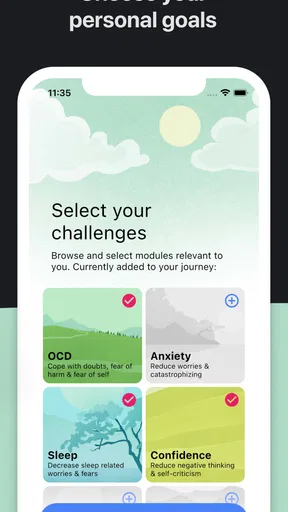
I’d start by deciding what I want help with today, rather than trying to tackle anxiety, mood, and sleep all at once. That small choice matters with OCD.app Anxiety, Mood & Sleep: its CBT-oriented exercises are most useful when I treat them as a regular practice, not as a button that will make a difficult feeling disappear immediately. For me, the app makes most sense as a private, self-guided support tool for small steps between the pressures of ordinary life.
Where the first session can feel confusing
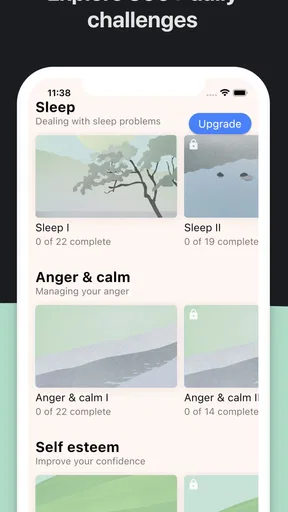
An app with several mental-wellness themes can leave a new user wondering where to begin. I’d choose one current concern—perhaps getting stuck in a worry loop, noticing a low mood, or settling down at bedtime—and spend a few minutes with that area before exploring the others. A narrow starting point makes it easier to judge whether the exercises fit, and avoids turning a quick check-in into another task to complete perfectly.
The name may also set expectations that the app is only for people with a particular diagnosis. I see it more cautiously: it is a self-help resource with CBT exercises, not a diagnosis or a substitute for individualized care. Someone who is curious about structured ways to reflect or practise coping skills may find that useful, while someone seeking assessment, crisis support, or a clinician’s guidance should look to a qualified professional or an appropriate local service instead.
Simple setup checks before you rely on it
If the app does not behave as expected, I’d begin with ordinary checks rather than assuming the exercises are at fault: confirm the device is running a compatible operating system, make sure the app is current, and reopen it after a routine restart if a screen seems stuck. The current version is 4.10.19, and the minimum OS is 8.0. Those details are especially handy when deciding whether an older phone or tablet is a likely source of friction.
I’d also separate the free download from the cost of continued use. The app is free to install, but it offers in-app purchases ranging from $9.99 to $199.99 per item. Before committing to a paid option, I’d check what the purchase actually unlocks and whether it suits the way I plan to use the app. If a purchase prompt appears unexpectedly, pausing to read it is better than tapping through while distracted or tired.
Your Personal Mental Health Toolkit
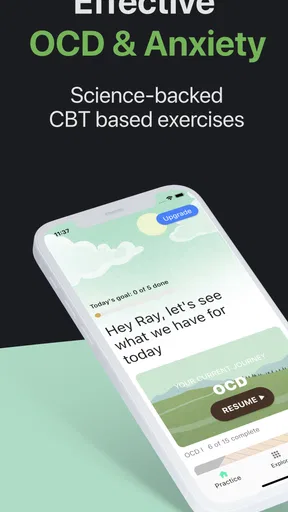
At first glance, the OCD.app Anxiety, Mood & Sleep is a sleek and user-friendly application. It's like having a therapist in your pocket—minus the hefty price tag. The app is designed to address three core aspects of mental health: anxiety management, mood tracking, and sleep improvement.
That broad mix is convenient, but it also creates a trade-off: one app cannot tailor every exercise to every person’s history or needs. I’d approach it as a set of prompts for personal practice, not as a therapist in a literal sense. Ggtude Ltd develops the app, which sits in the medical category; its Everyone age rating may make it broadly accessible, but it does not mean every exercise is suitable for every individual or situation.
Worth Reading Before You Choose

Flipboard Shows What News Apps Must Do Beyond the Feed

Switching to Android Auto Means Rethinking Your Driving Routine

Google Calendar Makes a Crowded Week Easier to Manage

Ludo King Makes the Most of the Minutes Between Plans

Baby Panda World Brings Quick Play to Modern Phones, but Its Game Library Feels Busy

ESPN’s Live Game View Makes Following Close Games Easier
Anxiety Management
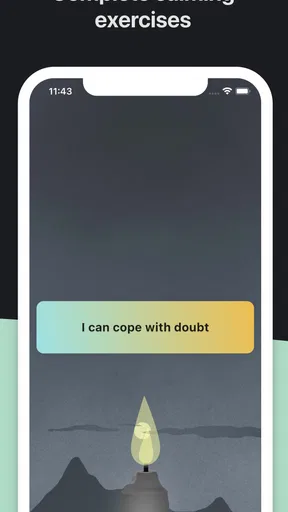
The anxiety management section is packed with resources that can help you keep calm when life gets overwhelming. There's a variety of breathing exercises that can be tailored to your needs, whether you're looking for a quick fix or a longer session to reset.
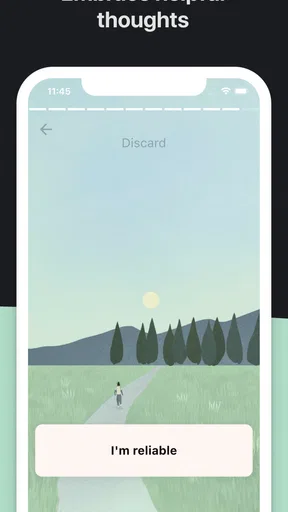
Personally, I found the guided meditations to be a highlight. They're short enough to fit into a busy schedule but effective enough to make a noticeable difference. The app also includes cognitive behavioral therapy (CBT) tools, which are like having a mini therapy session whenever you need it.
One practical way I’d use a CBT exercise is to bring a specific, recent worry to it rather than working through a vague sense that “everything is wrong.” For example, after an awkward exchange at work, I might pause and separate what I know from what I’m assuming, then consider a more balanced interpretation. That kind of brief reflection can make the exercise concrete. If an exercise feels repetitive or raises distress instead of helping, I’d stop and return to something grounding rather than forcing myself to finish.
It may help to decide in advance what “useful” means for a session. I would not judge a breathing exercise by whether anxiety vanishes; I’d ask whether I was able to slow down enough to choose my next action. This is a more realistic measure, and it avoids turning the app into another tool for checking whether I feel completely calm.
Mood Tracking
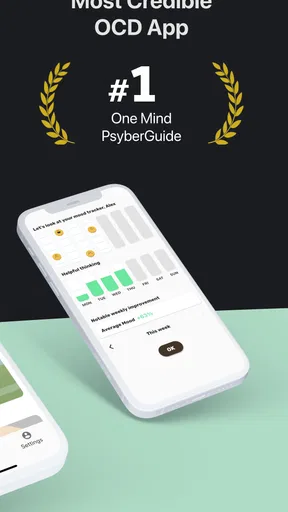
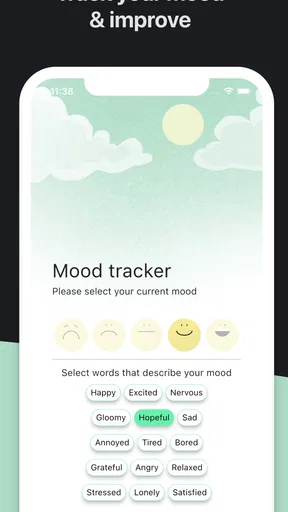
Keeping track of your emotions can be a daunting task, but this app makes it surprisingly easy. The mood tracking feature allows you to log how you're feeling throughout the day. Over time, you can see patterns emerge, helping you understand what triggers certain emotions. It's almost like having a diary, but way cooler and more visual.
There's even an option to add notes, so you can jot down any significant events that might be influencing your mood. This feature is particularly useful for those "a-ha" moments when you realize what's been affecting your mental state.
For a more helpful record, I’d keep entries brief and consistent: a simple description of the feeling and one relevant context, such as a disrupted routine or a demanding conversation. The point is not to produce a complete account of the day. A short note is easier to maintain and gives later patterns a clearer chance to stand out. I’d also avoid treating a mood log as proof that one event caused a feeling; it can suggest questions to explore, not establish a diagnosis.
A realistic use case is checking in after work for a week, then looking back for broad associations rather than searching every entry for a hidden explanation. If the act of logging makes me monitor my emotions more intensely, I’d reduce how often I do it or take a break. A tracking habit should support awareness, not make every mood change feel like a problem that needs immediate fixing.
Sleep Improvement
We all know that sleep is crucial for mental health, but getting a good night's rest can be elusive. This app offers a range of sleep aids, including relaxing soundscapes and sleep stories. They’re like lullabies for grown-ups, helping you drift off into dreamland.
The sleep tracking feature is another gem. By monitoring your sleep patterns, the app provides insights into how well you're sleeping and what you can do to improve it. It’s like having a sleep coach cheering you on from the sidelines.
I’d use a sleep aid as part of a wind-down routine, not as a promise that I will fall asleep on cue. One low-pressure approach is to choose a story or sound before getting into bed, then leave the phone aside and let the audio be background rather than something to keep checking. If listening keeps me alert, or if I find myself repeatedly switching options in search of the perfect one, I’d stop browsing and try a simpler bedtime routine instead.
Sleep records can be tempting to interpret too literally. A pattern over time may give me something to reflect on, but a single night is not a verdict on my health, and an app’s estimate should not replace medical advice when sleep problems persist. For someone who becomes anxious about monitoring, focusing on a steady bedtime habit without tracking may be a better fit.
Recovering a routine when use slips
Missing a few days does not mean I need to catch up or start over with a perfect plan. I’d reopen the app, choose the smallest useful action, and continue from there. For example, a short check-in after lunch may be easier to restore than trying to complete several exercises in one sitting. This keeps the app in the role of support rather than turning it into a streak or a source of guilt.
If an exercise or section does not load, I’d first close and reopen the app, check that the device has a working connection if the screen appears to need one, and try again later. I’d avoid repeatedly tapping a purchase control or submitting the same action when the app seems unresponsive. For a paid feature, I’d also check the purchase status through the relevant app store before attempting to buy again, so a temporary display problem does not lead to an unintended duplicate transaction.
On devices shared with someone else, I’d think carefully about what I choose to write in mood notes. Personal reflections can be sensitive even when they are brief. A short, non-identifying note may be enough for the purpose, and anyone needing stronger privacy assurances should review the app’s current privacy information and device settings before recording details they would not want others to see.
When a different kind of support is better
Compared with a general meditation app, OCD.app is more appealing when I want CBT-style reflection alongside mood and sleep tools, rather than relaxation content alone. Compared with a paper journal, it offers a more guided and visual way to make check-ins, though writing on paper may feel simpler and less screen-focused. A dedicated sleep resource may be a better choice if sleep is the only concern, while therapy is the stronger option for personalized assessment, persistent distress, or support that needs to adapt to a complex situation.
The app is likely to suit someone who wants to practise independently in short sessions and is comfortable learning by trying an exercise, reflecting, and adjusting. It is less suitable as the sole support for someone in crisis, someone who needs a clinician to assess symptoms, or someone who finds self-monitoring increases compulsive checking or worry. In those cases, I would prioritize professional guidance and use an app only if that person’s clinician agrees it is helpful.
There is also a practical question of fit: will I actually return to it? The app has a 3.6 average from 358 ratings, alongside 70 written reviews, and has passed 50K installs. I take that as a reason to approach it with measured expectations rather than assuming its mix of tools will click for everyone. It is free to download, rated for Everyone, and includes optional paid items, so I’d try the basic experience at my own pace before deciding whether any purchase is worthwhile.
Wrapping It Up
Overall, the OCD.app Anxiety, Mood & Sleep serves as a comprehensive toolkit for anyone looking to improve their mental health. It's not just about managing symptoms; it's about understanding them and working towards long-term wellness. The app's intuitive design and rich features make it accessible and effective for users of all tech abilities.
So, whether you're struggling with anxiety, trying to get a handle on your mood, or just looking for a better night's sleep, this app could be a valuable addition to your daily routine. It might not replace professional therapy, but it sure feels like a solid step in the right direction. Give it a try, and you might just find that your mental health gets a little more manageable, one tap at a time.
My practical verdict is positive with clear limits: I’d recommend giving it a try if a self-guided CBT routine and simple reflection tools sound appealing, especially when I want one place to practise across more than one everyday concern. I would not count on it to diagnose a condition, guarantee better sleep, or replace a conversation with a professional. The best test is modest: choose one exercise that matches a real moment in your day, use it without pressure, and notice whether it helps you respond more thoughtfully. If it adds stress or does not suit your needs, choosing another form of support is a sensible outcome, not a failure.
Pros
- User-friendly interface and design.
- Comprehensive mood tracking features.
- Offers personalized anxiety exercises.
- Includes sleep improvement tools.
- Regular updates with new features.
Cons
- Limited free content access.
- Requires internet for full functionality.
- No integration with fitness trackers.
- Some features locked behind paywall.
- Ads in the free version can be intrusive.
FAQs for OCD.app Anxiety, Mood & Sleep
What features does the OCD.app offer for managing anxiety and mood?
The OCD.app provides a comprehensive suite of tools designed to help users manage anxiety and mood fluctuations. Key features include customizable mood tracking, guided meditation sessions, cognitive behavioral therapy exercises, and sleep aids. These tools are tailored to help users gain insights into their emotional patterns and develop healthier coping mechanisms.
Is the OCD.app suitable for all age groups?
The OCD.app is designed primarily for adults and older teens, as it includes content that may require a certain level of maturity and understanding. While younger users can benefit from the app under parental supervision, the therapeutic exercises are generally tailored for individuals who can independently engage with mental health management techniques.
Does the OCD.app require an internet connection to function?
While some features of the OCD.app, such as downloading new content and updates, require an internet connection, many of the core functionalities can be accessed offline. This includes pre-downloaded meditation sessions and exercises, allowing users to manage their anxiety and mood without needing constant connectivity.
How does the OCD.app ensure user privacy and data security?
The OCD.app takes user privacy very seriously, implementing end-to-end encryption for all personal data. Users' mental health records and tracking details are stored securely, and the app complies with global data protection regulations. Additionally, users have control over their data, with options to delete or export their records at any time.
Are there any subscription fees associated with the OCD.app?
The OCD.app offers a range of subscription plans, including a free version with limited access and premium plans that unlock advanced features. The premium subscription provides extended access to exclusive content, personalized therapy sessions, and in-depth analytics, ensuring users can choose a plan that best fits their needs and budget.


